

Privat24: any bank card
A card from any bank will do — monobank, Oschadbank or any other. You don't need a PrivatBank account. This is the lowest-fee option.
The easiest way is the direct link to the Syndicate payment form in Privat24. You don't need to log in to the bank to open the form — all you need is your payment code. The form is in Ukrainian; the steps below explain what to enter:
Open the payment form in Privat24 →
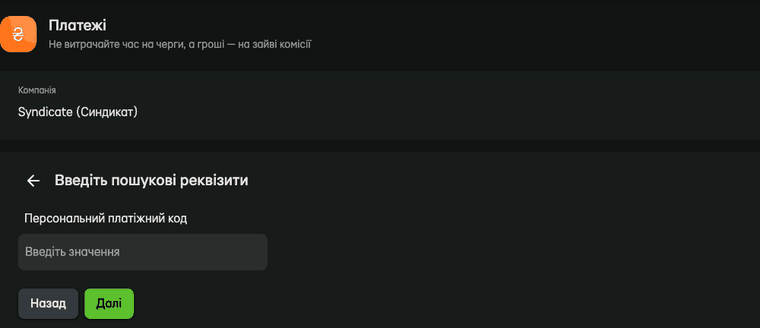
- The company “Syndicate (Синдикат)” is already selected in the form. In the «Персональний платіжний код» (personal payment code) field, enter your payment code and press «Далі» (Next).
- Check that it shows your own account number and surname.
- Enter the amount and pay by card.
If the link doesn't open
On next.privat24.ua, go to «Платежі» (Payments) → «Інтернет та ТБ» (Internet and TV), type “Syndicate” in the search box and select our company. Then follow the same steps.
Where to find your payment code
Your payment code is in the SMS we send when you are connected, and you can see it right after you log in to your customer account. Can't log in? Write in the chat in English, or call daily 9:00–18:00 (in Ukrainian or Russian): we will tell you your payment code once we have made sure you are the subscriber.
The money is usually credited within a few minutes — check your balance in your customer account. The fee is set by Privat24.